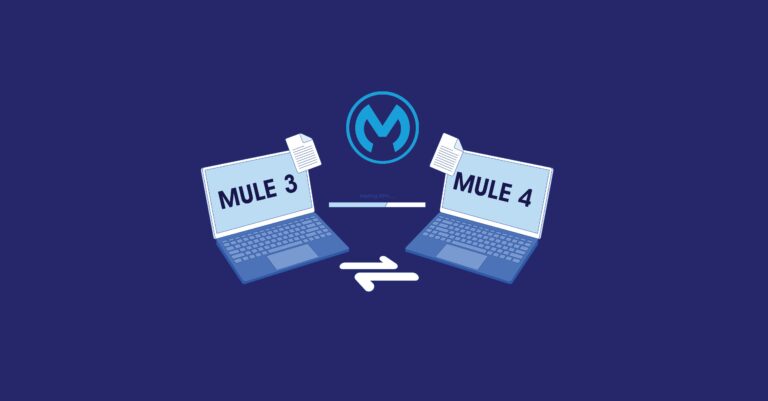

Mule 3 is not approaching end of life. It has already ended. MuleSoft closed Extended Support for Mule 3 on May 2, 2023, and every day since, businesses still running it have been operating a runtime with no security patches, no new CloudHub deployments, and no path to the AI-driven integration capabilities MuleSoft has shipped since. If your team is still asking “should we migrate from Mule 3 to Mule 4,” the honest answer is: you’re a few years late, and the cost of waiting keeps compounding.
This guide breaks down what Mule 3 end of life actually means for your operations, what Mule 4 looks like in 2026 now that MuleSoft is deep into its Agentforce and agentic-AI era, and how to plan a migration that doesn’t turn into a multi-year fire drill.
Is Mule 3 Still Supported in 2026?
No. Mule 3 reached full end of life when Extended Support closed on May 2, 2023. Since that date, MuleSoft has not accepted support tickets for Mule 3, has not shipped security patches, and no longer permits new application deployments to CloudHub on the runtime. Organizations still on Mule 3 can only apply in-place updates to existing applications, they cannot deploy anything new.
What that means in practical terms:
- No security coverage. Any vulnerability discovered in Mule 3 today stays unpatched indefinitely.
- No new deployments. CloudHub blocks new Mule 3 application deployments outright; only existing apps can be modified in place.
- No support escalations. If a Mule 3 flow breaks in production, MuleSoft’s support desk cannot help you.
- Restart risk. If a Mule 3 application ever needs a full restart, a data center outage, a forced patch, a power event, there’s no guaranteed path to bring it back up cleanly on an unsupported runtime.
- No access to modern capabilities. Everything MuleSoft has built for AI-driven, agent-based integration over the past two years lives in Mule 4 and Anypoint Platform only.
If your integration layer still runs on Mule 3, the question isn’t whether to migrate. It’s how fast you can do it safely.
What’s Actually Different Between Mule 3 and Mule 4
The architectural gap between the two runtimes is wider now than it was when Mule 4 first launched, mainly because MuleSoft has spent the last few release cycles layering AI and agent capabilities on top of the Mule 4 foundation. Here’s what changed, split into the original core differences and what’s new heading into 2026.
The Core Runtime Differences
DataWeave 2.0 replaces MEL. Mule 3 developers worked across two languages, DataWeave and the Mule Expression Language (MEL), which routinely produced inconsistent data handling. Mule 4 standardizes everything on DataWeave 2.0, removes the need to manually convert data into Java objects, and avoids caching entire payloads in memory, which cuts down on memory pressure and speeds up data streaming.
Connectors are unified and independently versioned. Mule 3 split connectivity between “transports” (inbound/outbound endpoints) and “connectors” (operation-based). Mule 4 standardizes everything as connectors and ships the runtime with none built in — each application pulls only the modules it needs. Connectors now also release on their own schedules instead of waiting for a full runtime release, so fixes reach you faster.
Error handling gets a dedicated Try scope. Instead of catching Java exceptions, Mule 4 uses structured validators and a Try scope that catches errors from any number of components without forcing you to build a separate flow for each failure path.
Properties become variables, and Attributes replace inbound/outbound metadata. Mule 3’s invocation, inbound, and outbound property scopes are gone. Invocation properties are now variables, and message metadata that used to live in separate inbound/outbound scopes now sits under a single Attributes object.
Maven becomes the default build system. Every Mule 4 application is a Maven project by default, which brings dependency management and CI/CD integration much closer to standard Java tooling than Mule 3 ever was.
What Mule 4 Looks Like in 2026
This is the part most “why migrate” articles from 2022–2023 never covered, because it didn’t exist yet:
- Anypoint Code Builder has largely replaced Anypoint Studio as MuleSoft’s primary development environment, running as a cloud IDE with a desktop option.
- MuleSoft Dev Agent, built into Anypoint Code Builder’s Agentforce panel, lets developers design, build, and manage Mule applications using natural-language prompts, and can read and write directly to project files.
- The MuleSoft MCP Server connects large language models directly to Anypoint Platform, so AI assistants can create Mule applications, build connectors, write API specs, and search Anypoint Exchange through natural language.
- MuleSoft Agent Fabric gives enterprises a control plane to govern, orchestrate, and secure AI agents across the business, treating agents as first-class citizens in the integration layer rather than bolt-ons.
- Java 17 support landed for Mule 4.6.x and later, closing the gap with modern Java tooling and security baselines.
- Mule 4.9 and 4.10 are the current LTS-track releases carrying these capabilities forward.
None of this exists on Mule 3. It can’t, the architecture wasn’t built for it. Every year an organization stays on Mule 3, the distance between “current integration layer” and “AI-ready integration layer” grows.
The Real Cost of Staying on Mule 3
Beyond the support gap, three costs tend to get underestimated:
Technical debt compounds silently. Each patch, workaround, or custom fix applied to a Mule 3 app to keep it limping along adds complexity that has to be unwound later, usually at a worse time than now.
Talent gets harder to find. MuleSoft certifications, training, and community focus have moved almost entirely to Mule 4 and Anypoint Platform. Finding developers who both know Mule 3 and want to work in it is only getting harder.
AI initiatives stall at the integration layer. If your business is investing in Agentforce, AI agents, or any generative AI initiative that needs to act on real enterprise data, that data has to flow through something. Mule 3 cannot participate in Agent Fabric, cannot expose MCP tools, and cannot benefit from the Dev Agent tooling built for Mule 4. Your AI roadmap and your integration roadmap need to be the same roadmap.
How to Approach a Mule 3 to Mule 4 Migration Without Panicking
MuleSoft’s own guidance has been consistent since before the EOL date: move deliberately, not frantically.
- Run an application rationalization exercise first. Inventory every Mule 3 app, flag which are business-critical, which are candidates for retirement, and which can be consolidated. Migrating dead weight wastes budget.
- Use the Mule Migration Assistant (MMA) where it fits. MuleSoft’s open-source MMA tool automates a meaningful chunk of the migration, project structure, descriptor files like
pom.xml, and many code adaptations, though it won’t produce a fully finished application on its own. It’s a strong starting point, not a finish line. - Rebuild error handling and data transformation logic deliberately, rather than lifting and shifting. This is the point where teams typically decide whether to just port Mule 3 logic as-is or use the migration as an opportunity to redesign flows around DataWeave 2.0 and the Try scope properly.
- Test with MUnit before cutover. Mule 4’s testing framework has matured, and MuleSoft’s MCP-connected tooling can now help generate and fix MUnit tests directly from flow definitions, which shortens the validation cycle.
- Bring in a MuleSoft implementation partner to avoid the two most common failure modes: rushing the cutover under deadline pressure, or dragging the migration out so long that new technical debt accumulates before the old debt is even paid off.
Cloud Odyssey’s View
We’ve sat on both sides of this conversation with clients, the ones who migrated early and the ones who waited. The pattern is consistent: the organizations that treated Mule 3 to Mule 4 migration as a rationalization project, not a lift-and-shift, ended up with a cleaner integration layer and a much easier time adopting everything MuleSoft has released since, Agent Fabric, MCP-based agent tools, and Agentforce-driven development included. The ones who delayed are now migrating under more pressure, with more accumulated technical debt, and with a smaller pool of Mule 3-literate developers to call on.
As a Salesforce Summit Partner and MuleSoft integration specialist, we treat migration as the starting point for a broader integration strategy, not a one-time fix. If you’re weighing a move to Salesforce MuleSoft integration services, building toward MuleSoft Agent Fabric for secure enterprise AI, or exploring MuleSoft on Hyperforce for data residency, the Mule 3 to Mule 4 migration is the foundation all of that sits on. Talk to our team about assessing where your Mule 3 applications stand today.
Frequently Asked Questions
No. Extended Support for Mule 3 ended on May 2, 2023. MuleSoft no longer patches, supports, or allows new CloudHub deployments on the runtime.
Existing applications can receive in-place updates, but you cannot deploy new Mule 3 applications to CloudHub, and MuleSoft won’t provide support or security fixes. If an application needs a full restart, there’s no vendor safety net.
Mule 3 relies on the Mule Expression Language and separate transport/connector models. Mule 4 standardizes on DataWeave 2.0, unifies all connectivity as connectors, and introduces a Try scope for structured error handling, plus, as of 2026, native integration with MuleSoft’s Agentforce, Agent Fabric, and MCP Server capabilities.
Partially. The Mule Migration Assistant automates project structure, descriptor files, and many code-level adaptations, but manual review and testing are still required to reach a production-ready Mule 4 application.
Yes. Mule 4 and Anypoint Platform are the only environments where MuleSoft’s AI-era tooling, Dev Agent, MCP Server, and Agent Fabric, currently operates. An unsupported Mule 3 layer can’t participate in agentic AI initiatives at all.