
Salesforce B2C Commerce now has a native Buy Now button. Salesforce Payments gives B2C Commerce stores two express checkout experiences: Buy Now, which sells one product straight from the product page, and Pay Now, which pays for the basket a shopper has already built. Both run through digital wallets such as Apple Pay, Google Pay, PayPal, Venmo and Amazon Pay.
Our 2024 version of this post said the platform had no pre-built Buy Now functionality. That has changed, so we rewrote the post using current Salesforce documentation.
A naming note: Salesforce renamed Commerce Cloud as Agentforce Commerce, and B2C Commerce is now Agentforce Commerce for B2C. Salesforce’s own documentation still uses both names, so this post does too.
Key takeaways
- Buy Now sells a single product and ignores the shopper’s current basket.
- Pay Now pays for the basket the shopper already has.
- Express checkout methods are Amazon Pay, Apple Pay, Google Pay, PayPal and Venmo.
- Buy Now orders run on a temporary basket, so the shopper’s regular cart stays untouched.
- Express checkout suits simple purchases. Coupons, gift wrap and product customization fit it poorly.
What is express checkout in Salesforce B2C Commerce?
Express checkout lets a shopper pay with a saved wallet instead of typing address and card details into a multi-step form. The wallet supplies the payment method and shipping details, and the shopper confirms in the wallet’s own screen.
In Salesforce B2C Commerce, Salesforce Payments delivers this. In Business Manager, you can create merchant accounts, set up multi-step or express checkout flows, and configure payments for every site. You can offer Checkout, Express Checkout, or both.
Does Salesforce B2C Commerce have a Buy Now button?
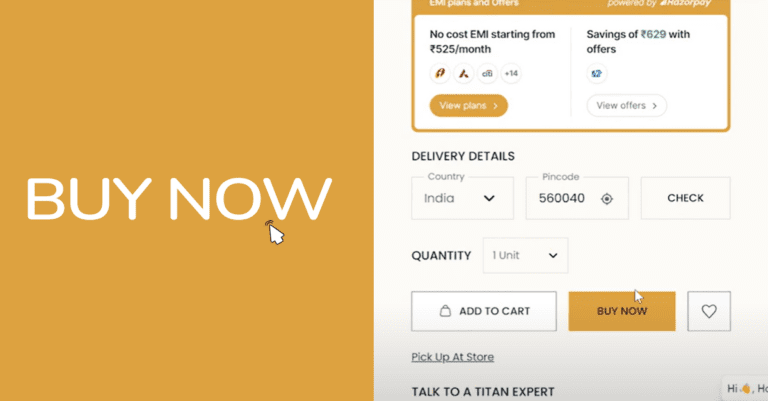
Yes. With Salesforce Payments, a Buy Now button sits on the product detail page. When a shopper taps it, the store builds a basket that holds only that product, and the shopper finishes in the browser’s payment app, such as Apple Pay or Google Pay.
For SFRA stores, Salesforce’s documentation says the plugin_commercepayments cartridge adds the Buy Now button to the product details page. Developers who customize the experience work with the <isbuynow> tag and the COHelpers.calculateBuyNowData helper, described in the isbuynow developer guide.
Third-party “Buy Now” cartridges still exist. Check the native option first, because it removes a dependency.
Buy Now vs Pay Now: which express checkout fits your store?
Both experiences are described in Salesforce’s Salesforce Payments storefront settings.
| Buy Now | Pay Now | |
|---|---|---|
| What it does | Sells one specific product | Pays for the current basket |
| Basket behavior | Ignores the current basket | Requires a current basket |
| Where it appears | Product detail page | Mini-cart, cart page, top of checkout page |
| Best for | Single-item, high-intent purchases | Shoppers who have already built a cart |
Pay Now buttons appear below the Checkout button in the mini-cart and on the cart page, and at the top of the checkout page. Site-level settings in the Script API show express checkout can be switched on or off for the product page, cart, mini-cart and checkout.
Which payment methods work with express checkout?
Salesforce lists these methods by checkout mode:
- Express Checkout: Amazon Pay, Apple Pay, Google Pay, PayPal, Venmo
- Checkout (multi-step): Afterpay, Amazon Pay, Bancontact, credit cards, EPS, iDEAL, Klarna, PayPal, SEPA Debit, TWINT, Venmo
Three details matter in planning:
- Venmo needs PayPal. Using Venmo on an SFRA storefront requires a PayPal integration with Salesforce Payments. Salesforce’s Trailhead guide says Venmo supports US-based merchants and US currency only.
- Buy now, pay later is a separate feature. Klarna and Afterpay sit in the multi-step checkout list, not the express list.
- Shopper devices decide what shows. Express buttons render only when the shopper’s device and browser support them. If a shopper has no wallet set up, no button appears.
How does Buy Now protect the shopper’s cart? Temporary baskets explained
The old version of this post mentioned a feature called “Buy Now Items Get Their Own Cart.” The documented feature is the temporary basket.
According to Salesforce’s release note on temporary baskets:
- A temporary basket lasts 15 minutes.
- It is built for immediate order requests, such as a Buy Now purchase.
- It does not affect the shopper’s regular basket.
- A shopper can hold up to four temporary baskets at once.
- Guests can use them too.
A shopper with six items in a cart can tap Buy Now on a different product, pay in seconds, and return to the original cart intact.
How do you set up express checkout in Business Manager?
The path below follows Salesforce’s documentation for a Salesforce Payments setup. Your project may vary.
- Confirm Salesforce Payments is enabled for your account. The related Business Manager screens appear only for customers who have purchased it.
- Connect your processors. Configure Salesforce Payments with Stripe, PayPal, or both.
- Choose your checkout mode. In Business Manager, go to Merchant Tools > Ordering > Salesforce Payments, click Configure, and select Express, Multi-Step, or both. Apple Pay and Pay Now are selected by default for express checkout.
- Register your Apple Pay domain if you offer Apple Pay.
- Set payment zones so you can reuse payment settings across regions and currencies.
- Test in test and live modes before launch.
For headless stores, Salesforce also documents how to configure Salesforce Payments for Composable Storefronts. It involves Managed Runtime routing rules and HTTPS. Confirm which express buttons your storefront version supports before you scope the work.
What does express checkout do for conversion?
Salesforce says adding popular digital wallets can lift conversion 15% or more. Treat that as Salesforce’s claim, not a forecast for your store.
The logic holds up. Fewer fields mean fewer places to quit, and mobile shoppers gain the most because a wallet replaces typing on a small screen. Your own numbers will vary with traffic mix, device split and average order value, so measure before and after.
What are the limits of express checkout?
Salesforce’s guidance says not to try to fit every multi-step checkout feature into express checkout. Coupons, gift wrapping, shopper product customization and gift card redemption are not always a good fit.
Some of those features can work with Pay Now, because you collect the information in the basket before the shopper taps the button. They cannot work with Buy Now, because the wallet screen cannot be customized.
Other things to check before you build:
- Buy Now ignores the current basket, so your pricing, shipping and tax data must be calculated for that single product.
- The
<isbuynow>tag cannot sit in a cached template, so review your product page caching. - Apple Pay and Google Pay follow their own brand rules. Read Apple’s guidelines before changing button styles.
- Check that your payment-method mix matches your shoppers. UPI, for example, does not appear in the Salesforce Payments method lists above, so Indian merchants should confirm coverage first.
How do you choose the right express checkout setup?
Start with three questions:
- What do shoppers buy? Single-item purchases and repeat buys suit Buy Now. Multi-item baskets suit Pay Now.
- Which processors and wallets do you already run? Salesforce Payments is the native route. Some stores keep a processor-specific cartridge, so weigh a rebuild against a switch.
- Which storefront do you run? SFRA and Composable Storefront each have their own setup and support notes.
Cloud Odyssey’s point of view
We see express checkout as a design decision, not a button. These are the principles we bring to Commerce projects:
- Start with wallets on the cart and product page. That covers most of the gain with the least custom code.
- Reserve Buy Now for products that suit it. Replenishable items and single-SKU purchases work well. Configurable or promotion-heavy products do not.
- Fix the back end first. Express checkout exposes weak shipping rules, tax logic and inventory sync. Connecting the storefront to order management and ERP through MuleSoft integration keeps those inputs clean.
- Track express orders as their own segment. Compare conversion, average order value and returns against standard checkout.
- Check local payment coverage early, especially for India and APAC stores.
If you want a second opinion on your checkout, our Commerce Cloud consulting team can audit it. For a build or upgrade, see our Salesforce Commerce Cloud implementation services. For retail programs that connect commerce with stores and loyalty, look at our Retail Cloud work. Our Pothys Swarna Mahal story shows how we approach digital commerce, and our multi-cloud implementation guide covers connecting commerce with CRM and marketing.
Frequently asked questions
Yes. Salesforce Payments adds a Buy Now express checkout button to the product detail page on B2C Commerce stores. It sells one product and ignores the shopper’s current basket.
Buy Now sells one specific product from the product page. Pay Now pays for the basket the shopper has already built, and appears in the mini-cart, on the cart page and at the top of checkout.
Amazon Pay, Apple Pay, Google Pay, PayPal and Venmo. Venmo needs a PayPal integration and supports US merchants and US currency.
No. Buy Now uses a temporary basket that lasts 15 minutes and does not affect the regular basket.
Yes. Commerce Cloud is now Agentforce Commerce, and B2C Commerce is now Agentforce Commerce for B2C. Product documentation still uses the older names in places.
Salesforce Payments can be configured for Composable Storefronts through Managed Runtime routing rules over HTTPS. Confirm which express buttons your storefront version supports.