
Every payment carries information a sales or support team needs: who paid, how much, when, and whether the transaction went through cleanly. When that data sits inside PayPal and never reaches Salesforce, finance teams end up reconciling spreadsheets by hand, and support agents can’t answer a simple “where’s my payment” question without logging into a second system.
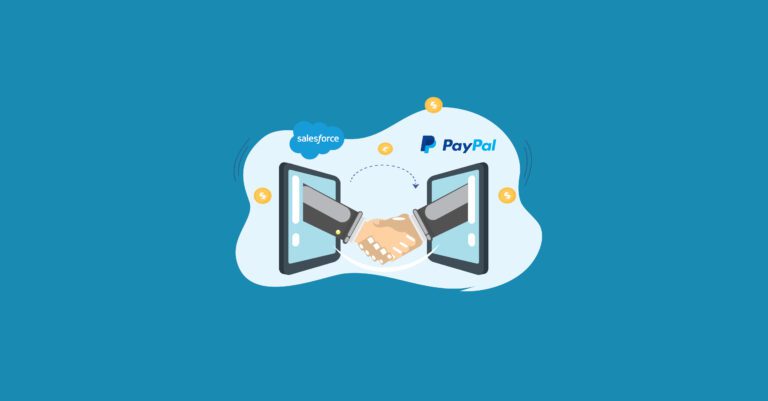
PayPal Salesforce integration closes that gap. It pushes transaction data- captures, refunds, disputes, and payouts, directly into Salesforce records, so the CRM reflects what actually happened with a customer’s money, not just what happened in a conversation or a case.
This guide covers how the integration works today, the methods available on the Salesforce AppExchange and beyond, a working code example built on PayPal’s current API, and how to decide which approach fits your setup.
What Is PayPal Salesforce Integration?
PayPal Salesforce integration is the connection between PayPal’s payment processing platform and Salesforce’s CRM, built so that payment events in PayPal automatically create or update matching records, Accounts, Contacts, Opportunities, Orders, or custom objects, inside Salesforce.
PayPal handles the movement of money: authorizations, captures, refunds, and payouts. Salesforce holds the customer relationship: who they are, what they’ve bought, and what support cases are open. Connecting the two means a service agent can see a customer’s full payment history without leaving Salesforce, and a finance team can reconcile revenue without exporting data from PayPal by hand.
How Does PayPal Data Flow Into Salesforce?
Most current integrations follow the same basic pattern, regardless of which tool sits in the middle:
- A checkout or payment request happens in PayPal, triggered from a Salesforce-hosted page, a Lightning component, or an external storefront.
- PayPal sends an event– a capture, refund, dispute, or payout- through a webhook rather than the older Instant Payment Notification (IPN) system, which PayPal has been phasing out in favor of webhook subscriptions.
- The receiving system validates and maps the event to the correct Salesforce record using shared identifiers such as the PayPal transaction ID, order ID, or invoice number.
- Salesforce fields update, and idempotency checks prevent PayPal’s retried notifications from creating duplicate records.
One detail that matters if your integration predates 2024: PayPal’s original Payments API (v1/payments) is deprecated. Anyone still building or maintaining a custom connector should be working against the Orders v2 and Payments v2 APIs, which split the payment lifecycle into a checkout step (/v2/checkout/orders) and a post-approval step (/v2/payments) for captures, voids, and refunds. Integrations still calling v1/payments/payment are running on a retired endpoint.
Four Ways to Connect PayPal With Salesforce
There’s no single “correct” method; the right one depends on transaction volume, whether you need a pre-built app or custom logic, and how deep the payment data needs to reach into your Salesforce org.
1. Salesforce’s Native PayPal Transaction Connector
Salesforce publishes a PayPal Transaction Connector on the AppExchange, built for organizations that want PayPal transaction data exported into Salesforce without writing integration code from scratch. It handles the org’s PayPal connection setup, named credentials, scheduled data exports, and a dedicated PayPal Transaction Integration App for viewing synced records. It’s a reasonable starting point for teams that want transaction visibility in Salesforce without owning the underlying API calls.
2. Purpose-Built Payment Apps (Chargent and Similar)
Salesforce Payments apps such as Chargent add PayPal Complete Payments (PPCP) support directly inside Salesforce, including Strong Customer Authentication (SCA) prompts required under PSD2 in the European Economic Area, and tokenization so payment details are stored at the gateway rather than inside Salesforce itself. This route suits teams that want payment collection and reconciliation handled by an AppExchange package, with support and updates maintained outside their own codebase.
3. A Custom Apex and REST API Build
For businesses with specific data models, donation portals, subscription billing, multi-object payment records, a custom build using Apex classes and PayPal’s REST API still gives the most control. This is the same general pattern Salesforce.org implementers have used for donor and event payment portals for years, just rebuilt on current API versions.
4. Integration Platforms and iPaaS Tools
Platforms like MuleSoft, Zapier, Make, and Jitterbit connect PayPal and Salesforce through pre-built triggers and actions, useful when payment data needs to flow into more than just Salesforce, accounting systems, data warehouses, or marketing tools included. For organizations already standardized on an integration platform for other systems, routing PayPal through the same layer keeps monitoring and error-handling in one place. Cloud Odyssey’s MuleSoft integration services build this kind of API-led connection for clients running Salesforce alongside multiple external systems.
How Do You Build a Custom PayPal Salesforce Integration?
If you’re going the custom-build route, here’s the shape of a current implementation.
Identify the API methods. Confirm you’re working against /v2/checkout/orders for creating and capturing payments and /v2/payments for refunds, voids, and reauthorizations, not the retired v1/payments endpoint.
Define the data model. Create a custom object in Salesforce to store payment records, with fields for payer name, amount, currency, PayPal order ID, transaction status, and payment date. If refunds or disputes matter to your workflow, add child records or related objects so the full lifecycle, not just the initial capture, is visible in Salesforce.
Build Apex classes. Write methods for generating an order via the Orders v2 API, capturing payment once the buyer approves it, and updating the payment object with the response data. Add a webhook-handling class to receive PayPal’s event notifications and route status changes back to the matching record.
Build the front end. A Lightning component gives users a way to trigger payment actions and see status without leaving Salesforce.
Test the full lifecycle. Cover successful captures, declined payments, refunds, and malformed webhook payloads, not just the happy path.
Here’s a simplified example using the current Orders v2 API to create and capture an order:
python
import requests
import json

# PayPal API credentials
client_id = 'YOUR_CLIENT_ID'
client_secret = 'YOUR_CLIENT_SECRET'
base_url = 'https://api-m.paypal.com'  # use api-m.sandbox.paypal.com for testing

# Authenticate and get an access token
auth_response = requests.post(
    f'{base_url}/v1/oauth2/token',
    auth=(client_id, client_secret),
    data={'grant_type': 'client_credentials'}
)
access_token = auth_response.json()['access_token']

# Create an order (Orders v2)
order_payload = {
    'intent': 'CAPTURE',
    'purchase_units': [{
        'amount': {
            'currency_code': 'USD',
            'value': '10.00'
        },
        'description': 'Payment for test item'
    }]
}

headers = {
    'Content-Type': 'application/json',
    'Authorization': f'Bearer {access_token}'
}

response = requests.post(
    f'{base_url}/v2/checkout/orders',
    headers=headers,
    data=json.dumps(order_payload)
)

if response.status_code == 201:
    order_data = response.json()
    order_id = order_data['id']
    approval_url = next(
        link['href'] for link in order_data['links'] if link['rel'] == 'approve'
    )
    print(f'Order created with ID {order_id}, buyer approval at {approval_url}')
else:
    print(f'Error creating order: {response.text}')
Once the buyer approves the order, a follow-up call to /v2/checkout/orders/{order_id}/capture completes the payment. That capture response and any later refund or dispute event is what your Apex webhook handler should be writing back into Salesforce.
Why Businesses Still Connect PayPal to Salesforce
- Fewer manual reconciliation tasks. Payment status updates land in Salesforce automatically instead of through end-of-day exports.
- A complete customer record. Support and sales teams see purchase and payment history alongside case and opportunity data, without switching systems.
- Cleaner reporting. Revenue, refund, and dispute data sit in the same platform as pipeline and case data, so dashboards reflect what customers actually paid, not just what was invoiced.
- Faster service resolution. An agent handling a billing question can see the transaction directly on the account instead of asking a customer to check their PayPal history.
- Stronger data protection. PayPal’s PCI-compliant infrastructure and tokenization options mean sensitive card data doesn’t need to sit inside Salesforce at all.
Is PayPal Salesforce Integration Secure and PCI Compliant?
A few things worth checking before going live, regardless of which integration method you choose:
- SCA and PSD2. If you serve customers in the EEA, confirm your integration triggers the two-factor authentication step PayPal requires under PSD2, most current payment apps handle this automatically, but custom builds need to account for it explicitly.
- Webhooks over IPN. If an older integration still relies on Instant Payment Notification, plan a migration to webhook subscriptions, since IPN is being retired in favor of webhooks across PayPal’s API surface.
- Tokenization. Store payment methods at the PayPal gateway rather than as raw data in Salesforce fields, which reduces your org’s PCI scope.
- Idempotency. Build de-duplication into any webhook handler — PayPal will retry notifications, and without an idempotency check, retries can create duplicate payment records.
Which PayPal Salesforce Integration Method Fits Your Business?
A nonprofit running a donation portal, a commerce business processing thousands of daily transactions, and a B2B company invoicing through Salesforce all have different answers to “how should we connect PayPal?” Transaction volume, the need for multi-currency support, and how deeply payment data needs to tie into existing Opportunity or Order records all shape that decision.
For teams running Salesforce Commerce Cloud storefronts, payment integration usually needs to account for checkout flow and cart abandonment, not just back-office reconciliation. For Sales Cloud or Financial Services Cloud orgs handling recurring billing or client payments, the data model and reporting requirements look different again.
Cloud Odyssey’s Take
Most PayPal-Salesforce projects we see don’t fail on the API call, they fail on the data model and the maintenance plan. A connector that pulls transactions into Salesforce is only useful if those records map cleanly to the Accounts, Orders, or Opportunities your teams already work from, and if someone owns what happens when PayPal changes an API version or retires an endpoint, which it has done more than once in the past two years.
Our recommendation for most clients: start with the native AppExchange connector or a payments app like Chargent if your data model is fairly standard, and reserve a custom Apex build for cases where the payment data needs to drive specific automation, donor workflows, subscription renewals, or multi-object reporting that off-the-shelf apps don’t support. Either way, build on Orders v2 and webhooks from day one; there’s no reason to start a new integration on infrastructure PayPal is already sunsetting.
If you’re weighing which route fits your Salesforce org, our Salesforce consulting and implementation teams can walk through the data model and integration approach before any code gets written.
Frequently Asked Questions
Businesses connect PayPal to Salesforce through a native AppExchange connector, a payments app such as Chargent, or a custom Apex and REST API build. PayPal transactions are imported through PayPal’s REST APIs and mapped to Accounts, Contacts, and related Order or Opportunity records using payer and reference identifiers. The right method depends on transaction volume and reporting needs.
Yes. Salesforce lists a PayPal Transaction Connector on AppExchange for setting up, customizing, and exporting PayPal transaction data into standard or custom Salesforce objects using flows and triggers. Payment apps like Chargent also offer PayPal Complete Payments support built directly into Salesforce.
Yes. Webhook-driven events capture payment state changes such as completed, pending, failed, refunded, and disputed transactions, updating the corresponding Salesforce fields, with refunds and disputes linked back to the original PayPal transaction ID for auditability.
Most integration methods do, since transaction values and fees can be mapped to Salesforce currency fields, with settlement and payout references stored when the connector or app supports PayPal’s reporting endpoints. Support varies by which method you choose, so confirm multi-currency handling before implementation.
SCA adds a two-factor step for regulated transactions. With SCA enabled, customers see a prompt during checkout asking them to authenticate with 2FA, a requirement triggered mainly for transactions covered by PSD2 in the European Economic Area.