
How a telecommunications consultancy eliminated compliance risk, and what the technologies behind it mean for your organisation.
Data retention sounds administrative. In practice, it sits at the intersection of legal exposure, storage economics, and operational integrity. When it breaks down, and in most organisations it eventually does, the consequences range from audit failures to regulatory penalties to the quiet accumulation of data no one is sure they should still be holding.
This blog explores the core technologies that modern enterprises use to solve this problem: MuleSoft Anypoint Platform, MuleSoft Intelligent Document Processing (IDP), Einstein AI, and Salesforce Custom Objects and Metadata. We’ll use a real-world implementation, a telecommunications consultancy that rebuilt its entire retention framework on this stack, to show what these technologies look like in practice, not just on paper.
MuleSoft Anypoint Platform: The Integration Backbone for Retention Compliance
What It Is
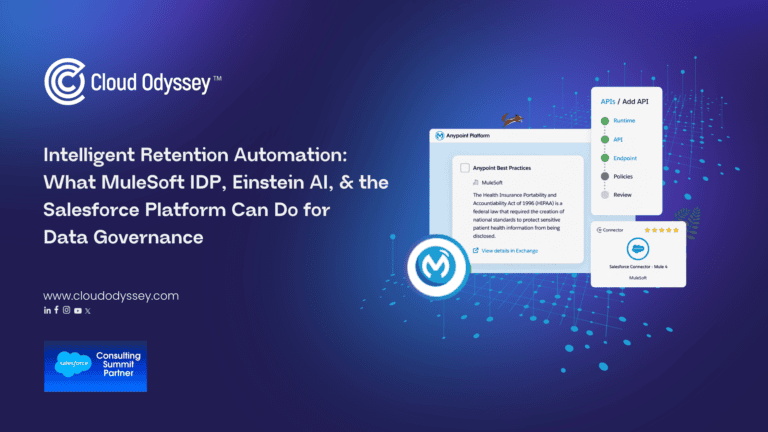
At its core, MuleSoft Anypoint Platform is an integration platform that connects the applications, data, and APIs that make up a modern enterprise’s technology landscape. As Salesforce describes it, Anypoint Platform is a unified, single solution for iPaaS and full lifecycle API management that allows organisations to securely develop, deploy, and manage simple to complex APIs and integrations at scale in one platform.
For IT decision-makers, the important distinction is what “unified” means in practice. Most organisations have attempted integration through a patchwork of point-to-point connections, direct links between individual systems that multiply in complexity as the number of systems grows. MuleSoft replaces that model with a single, managed orchestration layer. Every system speaks to MuleSoft; MuleSoft speaks to every other system. The result is that adding a new platform, connector, or workflow doesn’t require rebuilding existing connections.
The platform ships with over 1,500 pre-built connectors spanning cloud applications, databases, messaging platforms, and industry standards, including native connectors for Microsoft SharePoint, Microsoft Graph API (for Exchange/Outlook), Salesforce, and hundreds more. That pre-built library is central to the platform’s value proposition: MuleSoft-documented benchmarks show it can deliver projects five times faster with reuse versus custom code.
Why It Matters for Retention and Compliance
Retention automation is fundamentally a cross-system problem. Data doesn’t live in one place. Policies don’t map neatly to one platform. And enforcement- the actual deletion, stamping, and logging of each record, has to happen consistently across every system that holds a copy of the data.
Without an integration layer, this requires custom-built connections between every combination of systems involved, each maintained independently and each a potential point of failure. MuleSoft makes this tractable by acting as the single orchestrator: it retrieves records from Exchange, classifications from IDP, policies from Salesforce, performs deletions across SharePoint and Exchange simultaneously, and logs the result, all in one coordinated flow.
In Practice
For the telecommunications consultancy, MuleSoft served as the orchestration backbone connecting three previously independent platforms: Microsoft Exchange (via Graph API across 20 designated mailboxes), SharePoint, and Salesforce. None of these systems had any native awareness of the others’ retention state. MuleSoft made them part of a unified, policy-driven workflow, and the efficiency gains were immediate. The solution achieved 75% API reuse across integration flows and cut 80 hours of effort per new system integration, numbers that reflect the compounding value MuleSoft’s reuse model is designed to produce.
MuleSoft Intelligent Document Processing (IDP): The Intelligence Layer
What It Is
MuleSoft Intelligent Document Processing (IDP) is a purpose-built AI capability within the Anypoint Platform designed to extract, classify, and structure data from documents that don’t conform to a predictable schema. In enterprise environments, that covers most of the interesting documents: contracts, invoices, billing records, compliance filings, purchase orders, content that carries critical business meaning but arrives in dozens of different formats and layouts.
Traditional document processing approaches require templates. You build a template for each document type, map fields manually, and hope the incoming documents match. This works until document formats change, new vendors onboard, or edge cases appear, which in any real organisation happens constantly.
IDP takes a different approach. As MuleSoft describes, the platform empowers teams to use AI to automatically extract and organise data from unstructured documents, enabling integration with downstream systems. Under the hood, it combines multimodal large language models capable of interpreting both text and images with a structured output layer, returning extracted data as JSON objects that can be consumed directly by downstream workflows, stored in Salesforce, or used to trigger further automation.
Critically, document actions in IDP are published as APIs. This means any MuleSoft flow, Salesforce process, or external system can call an IDP action and receive structured results, with no specialised document-processing infrastructure required.
Einstein for IDP: The NLP Layer
Einstein for IDP extends the platform’s core extraction capabilities with natural language processing, enabling teams to define what they want to extract using prompts rather than field mappings. Instead of configuring a template that says “extract field at coordinates X, Y,” a user can prompt: “extract the contract start date, counterparty name, and total value.” Einstein interprets that prompt against the document’s content and returns the result.
This matters for two reasons. First, it lowers the barrier to configuring new document types, business users can participate in setup without deep technical involvement. Second, it handles ambiguous cases that template-based approaches cannot: documents where the layout varies, fields appear in unexpected positions, or content is embedded in narrative paragraphs rather than structured tables.
In Practice
For the consultancy, IDP handled the classification and metadata extraction step that sits at the heart of the retention framework. Every document, whether a PDF contract retrieved from SharePoint, an email attachment from Exchange, or a Salesforce file, was routed through IDP for classification (Contract, Bill, or Other) and metadata extraction (dates, parties, amounts, reference numbers). The output was structured JSON, stored directly in Salesforce and used to calculate the applicable retention period.
Without IDP, this classification step would have required either manual review or brittle template-matching logic that breaks with any format variation. With IDP, it was fully automated, and the result was a 60% reduction in manual document review effort.
Einstein AI: Broader Intelligent Automation
What It Is
Einstein AI is Salesforce’s umbrella brand for all AI and machine learning capabilities built into the Salesforce Platform. It spans predictive AI (forecasting, scoring, anomaly detection), generative AI (content creation, summarisation, classification), and the NLP capabilities embedded in IDP described above.
The distinguishing characteristic of Einstein compared to standalone AI tools is its deep integration with Salesforce data. As Salesforce describes it, Einstein is data-ready: teams don’t have to prepare data or manage models, they put the data in Salesforce and it works. That’s a significant practical advantage: most AI implementations fail not because of the model but because of data quality and accessibility challenges. Einstein sidesteps much of that friction by operating natively within the Salesforce data environment.
For retention automation specifically, Einstein’s natural language processing capabilities were used at the email body analysis layer, reading plain text emails, identifying whether they contained contract or billing content, and deciding whether to extract data directly or route attachments to IDP for deeper processing. This created a tiered intelligence model: lightweight NLP analysis first, heavier document processing only when warranted.
In Practice
Einstein’s role in the consultancy’s workflow was to act as the first classifier in the pipeline. Before any document was processed by IDP, Einstein evaluated the email body. If the structure was clear enough to extract retention-relevant content directly, it did so. If not, mixed content, ambiguous structure, or attachment-only records, the email was routed to IDP. This layering avoided unnecessary processing overhead and reserved the most computationally intensive step for the cases that genuinely required it.
Salesforce as the Compliance Ledger: Custom Objects and Metadata
What They Are
Salesforce Custom Objects allow organisations to store data that doesn’t fit the standard CRM model, anything from support tickets to inventory records to, in this case, document retention metadata. As Salesforce’s Metadata API documentation describes, a custom object stores data unique to your organisation, with configurable fields, relationships, validation rules, and automation attached.
Custom Metadata Types serve a related but distinct purpose: they store configuration data, business rules, policy parameters, mappings, that governs how your application behaves. Trailhead describes them as customisable, deployable, packageable, and upgradeable application metadata that can make application lifecycle management and compliance easier, faster, and more robust. For retention policy management, where the rules themselves (how long to keep a contract, when to purge a billing record) need to be stored, versioned, and applied at scale, Custom Metadata Types are the natural vehicle.
Together, these two constructs turn Salesforce from a CRM into a governance platform: a system that not only holds records but enforces the rules around them.
In Practice
The consultancy used both constructs deliberately. Custom Metadata Types stored the retention policies themselves, the rules that determined how long each document category should be kept. Custom Objects stored the per-document metadata: the retention type assigned to each record, its calculated expiry date, the purge date stamped after confirmed deletion, a manual review flag for failed purge attempts, and a failure reason field for audit purposes.
This architecture means that every document or email processed by the system has a traceable lifecycle record in Salesforce: when it was ingested, what it was classified as, how long it was to be retained, when it was deleted, what policy applied. This is what a compliance audit requires, not just evidence that a policy exists, but proof that it was applied consistently to every record, every time.
The Purge Workflow: Where Everything Comes Together
Understanding each technology individually is useful. Understanding how they interact is where the architecture becomes genuinely instructive.
When a retention period expires, the following sequence executes:
The MuleSoft scheduler triggers the purge workflow. It queries the Salesforce Custom Objects to identify records whose calculated expiry date has passed. For each expired record, MuleSoft executes a coordinated deletion: removing the document from SharePoint via GUID using the SharePoint Connector, deleting the email from Exchange via Microsoft Graph API, and archiving or removing the Salesforce record itself. After confirmed deletion, MuleSoft stamps the purge date back into the Salesforce metadata record. If any deletion step fails, the failure reason is logged and the record is flagged for manual review, ensuring no exception is silently missed.
The historical data challenge was addressed in the same framework: all 20 mailboxes were processed retroactively, with retention periods calculated from original document dates. Expired historical records were purged; active ones were retained under the new policy. This closed the legacy data gap that most compliance programmes leave unaddressed.
What This Means for IT and Business Decision-Makers
The technologies described here aren’t exotic. MuleSoft Anypoint Platform, IDP, Einstein AI, and Salesforce Custom Objects are all generally available, enterprise-grade products with extensive documentation, support, and implementation communities behind them.
What the consultancy’s project demonstrates is how they work in combination. MuleSoft provides the integration fabric that makes cross-platform enforcement possible. IDP provides the document intelligence that makes classification scalable. Einstein AI provides the NLP layer that handles unstructured content. Salesforce provides the governance record that makes every decision auditable.
The outcomes: 60% reduction in manual review effort, 100% automated expiry calculation, 75% API reuse, and 80 hours saved per new integration, are a direct reflection of that architecture, not of any single tool in isolation.
For any organisation managing data across multiple platforms, facing retention compliance obligations, or trying to reduce the manual overhead of document governance, this stack offers a validated, composable path forward.
The Cloud Odyssey Point of View
We see this pattern often: the retention policy already exists on paper, but nothing enforces it consistently once data spreads across email, document storage, and CRM systems. The gap is rarely the policy itself; it’s the absence of a system that classifies, applies, and proves enforcement at the same standard every time.
The technologies in this stack aren’t new or experimental. MuleSoft Anypoint Platform, IDP, Einstein AI, and Salesforce Custom Objects are mature, well-documented products most enterprises already have some access to. What’s underused is the combination, and the discipline to build the audit trail alongside the automation, not after it.
Our MuleSoft integration practice and Salesforce consulting services are built around exactly this kind of architecture: connecting systems that were never designed to talk to each other, and turning Salesforce into the governance layer that makes the result defensible under audit. If your organisation is holding data across multiple platforms with no consistent way to enforce retention, get in touch with our team to talk through what this could look like for your environment.
Frequently Asked Questions
MuleSoft IDP is an AI capability that extracts, classifies, and structures data from unstructured documents, contracts, invoices, billing records without pre-built templates. It combines multimodal large language models with a structured output layer, returning JSON that downstream systems consume directly.
MuleSoft Anypoint Platform integrates every system holding retention-relevant data, Exchange, SharePoint, Salesforce, into one orchestrated workflow. Its pre-built connectors retrieve records, apply policies, execute deletions, and log outcomes across all platforms, replacing brittle point-to-point connections.
Custom Metadata Types store the retention policies, how long each document category must be kept. Custom Objects store the per-document record, retention type, expiry date, purge date, failure reason. Together, they give every document a traceable, auditable lifecycle in Salesforce.
The consultancy saw a 60% reduction in manual review effort, 100% automated expiry calculation, 75% API reuse across integration flows, and 80 hours saved per new system integration, outcomes driven by the full stack working together, not any single tool.
A MuleSoft scheduler queries Salesforce Custom Objects for expired records, triggers coordinated deletion across SharePoint and Exchange via their connectors, then stamps the confirmed purge date back into Salesforce. Failed deletions are logged with a reason and flagged for manual review.